Styling and Design
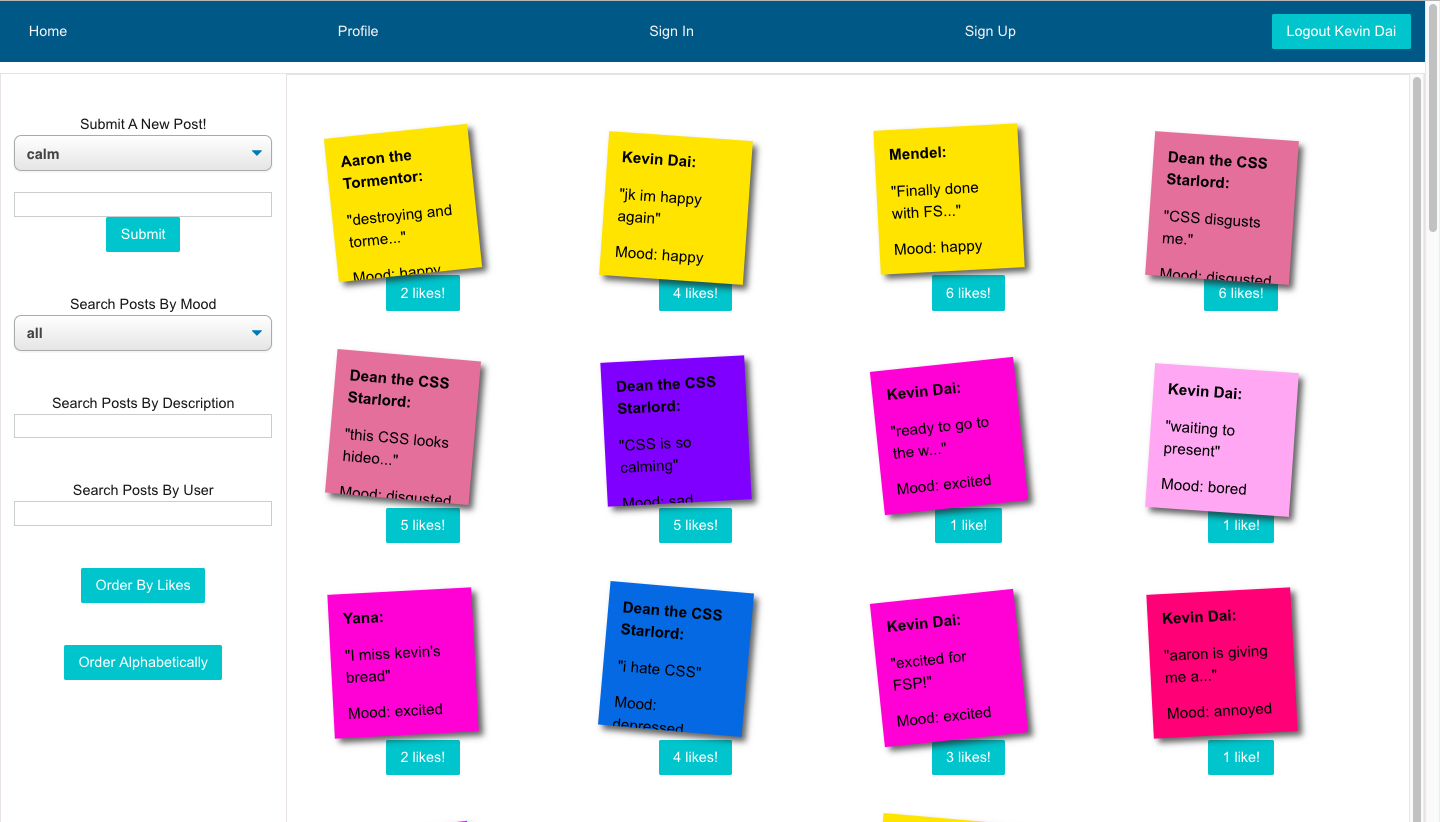
The most important component for this application was going to be the post container. It had to look simple, nice, and even interactive to get a response from the user. My partner and I ended up using post it notes that are hinged on varying angles, creating the effect of a mini message board. Next was designing the user profile. When contemplating this, we decided we really wanted to show a user's statistics through some meaningful graphs. By implementing Graph.js, we created a line graph that represents a person's mood over time.
Next was deciding on how to create each post's individual page. We definitely were looking to create interaction between users, so the first thing on our minds was a comments section. Since we wanted it to look like a conversation thread, we added timestamps to each comment. We also gave the option to give each post it note a 'like,' just to increase interactivity. We made sure to emphasize the 'sweet and simple' design throughout.
Technical Process
One of the hardest things to decide on this project was how to represent the line graph with moods. Ordinarily a numerical system, how do you translate those to literal moods? We ended up choosing a middle ground for this, a.k.a. a 'neutral mood', and based on that, we gave varying moods either low numbers for negative feelings or high numbers for positive ones. This was also our first time using React as a frontend tool, so we had to consider a multitude of questions when building this...
- Where are we storing the state for posts and comments?
- Do we want the DOM to reload every single time a new post is made?
- How do we implement a 'like-button' that doesn't need a refresh?
- What kind of relationships does my backend need?
- What is user to user interaction going to be like?